
Sixty days prior to the renewal of your plan, we’ll ask you to confirm the benefit settings for the upcoming year. You’ll have up until the day of your renewal to make changes. This is your chance to make changes to things like allowances, waiting periods, and class design. After the new benefit year begins, changes can no longer be made.
You can start the benefits renewal process on your dashboard. You need to confirm or change your existing benefit elections before the renewal date. You’ll be asked to confirm your group health plan details, payment details, benefit settings, and employee classes.
If you take no action, we’ll automatically launch the benefit on the renewal date with the current plan elections.
Once you launch the new benefit year or we automatically launch for you; we will notify your employees of the new benefit.
If you launched your new benefit early and found out that you need to make changes, don’t worry! You have up until the date of your renewal to make any unexpected changes.
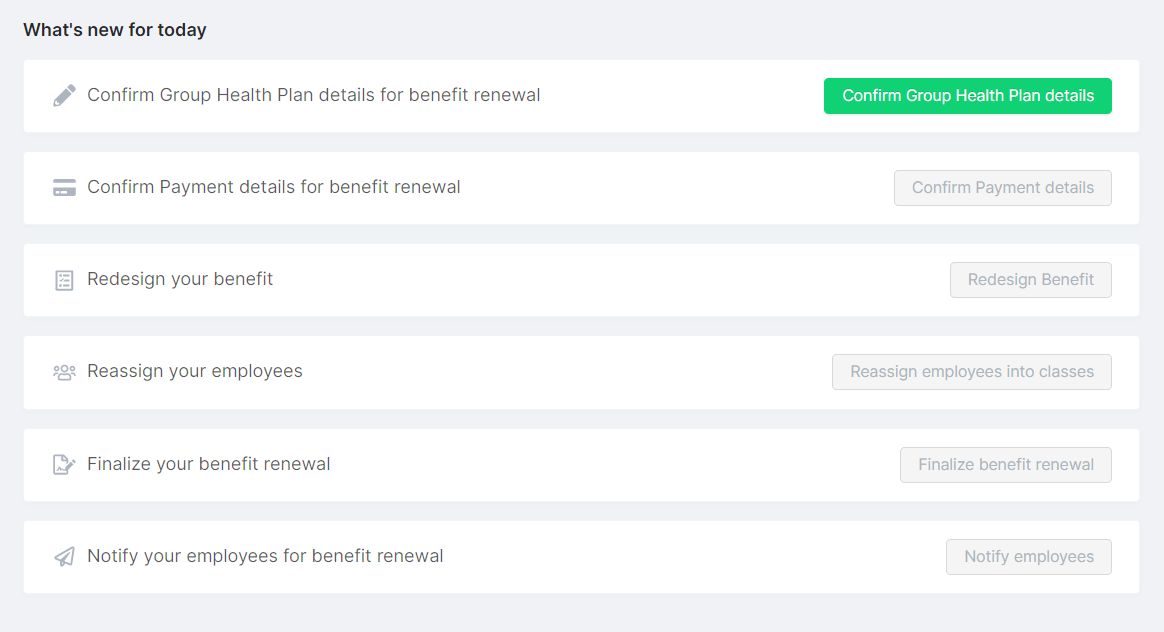
This is what the renewal checklist looks like.